
Download Archsynth – AI‑Powered Interior Design Visualization Tool
Overview of Archsynth
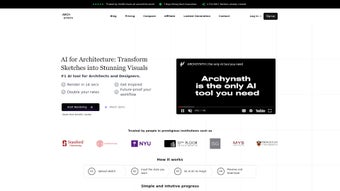
Archsynth is a cutting‑edge, machine‑learning‑driven interior design visualization platform built especially for architects, interior designers, and creative professionals who want to turn rough sketches into photorealistic renderings with minimal effort. The software leverages advanced generative AI to interpret hand‑drawn concepts, architectural plans, or digital mock‑ups and instantly produce high‑resolution images that match the selected style, material palette, and lighting preferences. Its intuitive, step‑by‑step workflow removes the steep learning curve traditionally associated with 3D rendering tools, allowing users to focus on creativity rather than technical minutiae.
In today’s fast‑paced design market, clients expect rapid visual feedback and high‑quality presentation material. Archsynth meets this demand by compressing weeks of manual modeling into minutes of AI‑assisted rendering. The platform’s secure, cloud‑based environment ensures that all uploaded files are encrypted, meeting GDPR and ISO‑27001 compliance, which is critical for firms handling proprietary design data. Licensing is flexible: a free trial invites freelancers to explore core features, while tiered subscriptions grant enterprise teams access to collaboration hubs, priority support, and API integration for custom pipelines.
Whether you are working on residential layouts, commercial spaces, or experimental installations, Archsynth offers a secure, cloud‑based environment where you can upload files, choose from a library of pre‑built templates, or describe a custom aesthetic in plain language. The AI engine then processes the input, applies style transfer algorithms, and generates a suite of visual options ready for client presentations, marketing decks, or design documentation. By automating the time‑consuming rendering phase, Archsynth helps professionals meet tight deadlines, reduce outsourcing costs, and maintain a consistent design language across projects.
Beyond its core rendering capabilities, Archsynth provides continuous updates that expand its style library, improve AI accuracy, and introduce new export formats such as 3D PDFs and VR‑ready assets. This commitment to evolution ensures that designers stay ahead of emerging trends without needing to invest in additional software or hardware upgrades.
Key Features That Set Archsynth Apart
- AI‑Driven Sketch Interpretation: Upload hand‑drawn sketches, CAD exports, or digital wireframes; the AI instantly understands spatial relationships and material cues.
- Style Library & Custom Prompts: Choose from over 150 pre‑defined interior styles (mid‑century modern, industrial, Scandinavian, etc.) or type a natural‑language description for a truly bespoke look.
- One‑Click Rendering & Download: Generate high‑resolution (4K) images in seconds and download them in PNG or JPEG formats without watermarks.
- Template Marketplace: Access ready‑made room templates that can be instantly populated with your own floor plans.
- Collaboration Hub: Share projects with team members, comment on renders, and approve revisions in real time.
- Secure Cloud Processing: All files are encrypted during upload and storage, complying with GDPR and ISO‑27001 standards.
- Version History & Undo: Keep track of every iteration, revert to previous versions, and compare styling options side‑by‑side.
- API Integration: Connect Archsynth to BIM software, project management tools, or custom pipelines via RESTful endpoints.
Beyond the headline features, Archsynth’s architecture is designed for scalability. The backend runs on GPU‑accelerated clusters, ensuring that even complex scenes with reflective surfaces or intricate lighting schemes are rendered swiftly. Users also benefit from regular updates that expand the style library, improve AI accuracy, and introduce new export options such as 3D PDFs or VR‑ready formats. The platform’s user interface follows a minimalist design language: a left‑hand sidebar for asset management, a central preview canvas, and a right‑hand panel for style sliders and lighting controls. This layout mirrors the workflow of traditional design software, reducing the friction of switching tools.
The AI model has been trained on a diverse dataset that includes global design trends, allowing it to respect cultural nuances in material selection and spatial hierarchy. Whether you are visualizing a boutique hotel lobby in Marrakech or a sleek tech office in Tokyo, Archsynth adapts its output to reflect regional aesthetics while preserving your original concept. Additionally, the system supports batch processing through a command‑line interface, enabling studios to automate the rendering of entire project libraries with a single script. This capability is especially valuable for large firms that need to generate consistent visual assets across multiple locations.
Finally, Archsynth’s collaboration hub includes granular permission settings, so project managers can assign “viewer,” “editor,” or “admin” roles to team members. Real‑time commenting, version tagging, and a built‑in chat window keep communication clear, ensuring that feedback loops are short and decisions are documented directly within the project workspace.
Installation, Compatibility, and How to Use Archsynth Effectively
Archsynth is a cloud‑native application, which means there is no heavy client installation required on your local machine. Users simply need a modern web browser (Chrome, Edge, Firefox, or Safari) and an active internet connection. For teams that prefer a desktop shortcut, a lightweight Electron wrapper is available for Windows 10/11, macOS 12+, and popular Linux distributions.
Supported Operating Systems:
- Windows 10, Windows 11 (64‑bit)
- macOS Monterey (12) and later
- Ubuntu 20.04 LTS and newer (Linux)
- iOS 14+ (tablet mode) and Android 9+ (mobile preview only)
The installation process takes under two minutes: download the installer from the official website, run the executable, and sign in with your Archsynth account credentials. After the first launch, the app performs a quick environment check, confirming that your browser supports WebGL 2.0 and that TLS 1.3 is enabled for secure communication.
Once installed, launching Archsynth presents a welcome dashboard where you can create a new project or import an existing one. The typical workflow follows these steps:
- Upload Your Sketch: Drag‑and‑drop a PNG, JPEG, PDF, or DWG file into the canvas. The AI automatically detects walls, doors, windows, and furniture outlines.
- Select a Style: Browse the style library or type a custom prompt such as “cozy boho living room with teal accents”. The system suggests three initial render options.
- Refine Parameters: Adjust lighting (time of day, natural vs. artificial), material finishes, and color saturation using sliders. Real‑time previews update instantly.
- Generate & Review: Click “Render” to produce the final high‑resolution image. Use the side‑by‑side comparison tool to evaluate multiple variations.
- Download or Share: Export the image, add it to a project folder, or share a secure link with clients. The download button provides options for resolution and file format.
Power users can take advantage of Archsynth’s command‑line interface (CLI) to automate batch rendering. By feeding a JSON configuration file that defines input paths, style prompts, and output specifications, studios can render dozens of rooms overnight without manual intervention. The RESTful API further extends this capability, offering endpoints for authentication, project creation, render queue management, and result retrieval. All API calls are secured with OAuth 2.0, and role‑based access controls ensure that only authorized personnel can modify or delete projects.
To keep your workflow secure, Archsynth employs end‑to‑end encryption for data in transit (TLS 1.3) and at rest (AES‑256). Regular security patches are rolled out automatically, and an integrated health dashboard alerts administrators to any abnormal activity, such as unusually large file uploads or repeated failed login attempts. For optimal performance, we recommend using a broadband connection of at least 15 Mbps download and 5 Mbps upload, and enabling hardware acceleration in your browser settings.
Pros, Cons, Frequently Asked Questions, and Final Verdict
Pros
- Instant, high‑quality visualizations from simple sketches.
- Extensive style library with the ability to craft custom prompts.
- Cloud‑based processing eliminates hardware constraints.
- Secure data handling with end‑to‑end encryption.
- Collaboration features streamline team feedback loops.
- Free trial and flexible pricing for freelancers to enterprises.
- API and CLI enable automation and integration with existing pipelines.
- Regular updates keep the AI model current with design trends.
Cons
- Requires a stable internet connection for rendering.
- Advanced customization may need a learning curve for non‑technical users.
- Limited offline functionality compared to traditional desktop renderers.
- High‑resolution rendering can consume significant bandwidth.
- Subscription costs increase for large teams needing unlimited renders.
FAQ – Frequently Asked Questions
Can I use Archsynth on a mobile device?
Yes. Archsynth offers a responsive web interface that works on iOS and Android browsers. While full‑resolution rendering is optimized for desktop, you can preview and share projects from any smartphone or tablet.
What file formats are supported for input sketches?
Archsynth accepts PNG, JPEG, PDF, and common CAD formats such as DWG and DXF. The AI can parse both raster and vector files, automatically detecting architectural elements.
Is there a limit to how many renders I can generate per month?
The free trial includes 20 renders per month. Paid plans start at 200 renders for the “Solo” tier and scale up to unlimited renders for enterprise subscriptions.
How secure is my data on Archsynth’s cloud?
All uploads are encrypted with TLS 1.3 during transit and stored using AES‑256 encryption at rest. Archsynth complies with GDPR, ISO‑27001, and offers role‑based access controls to protect project confidentiality.
Can I integrate Archsynth with other design tools?
Yes. Archsynth provides a RESTful API and a CLI that can be linked to BIM software (Revit, ArchiCAD), project management platforms (Asana, Trello), or custom scripts, enabling automated rendering workflows.
Conclusion & Call to Action
Archsynth represents a significant leap forward for the architecture and interior design community, delivering AI‑enhanced visualizations that are both fast and photorealistic. By removing the bottleneck of manual rendering, it frees designers to iterate more rapidly, impress clients with high‑impact imagery, and ultimately win more projects. Whether you are a solo practitioner looking for a cost‑effective way to showcase concepts, or a large firm seeking to standardize visual output across multiple offices, Archsynth’s flexible pricing, robust feature set, and secure cloud infrastructure make it a compelling addition to any design workflow.
Ready to experience the future of interior visualization? Download Archsynth today, start your free trial, and watch your sketches come to life in seconds.
Archsynth dramatically speeds up the visualization process, delivering stunning renders from simple sketches while maintaining data security and offering extensive style customization.



.png)



